 DDM Help
App
AI assistant
Questions to your documents – with the sources to go with them.
The assistant answers questions from the documents you are allowed to open – "What torque do I need for anchor bolts with the HX-18?" – and names the files the answer comes from. It is available if your organisation has set it up.
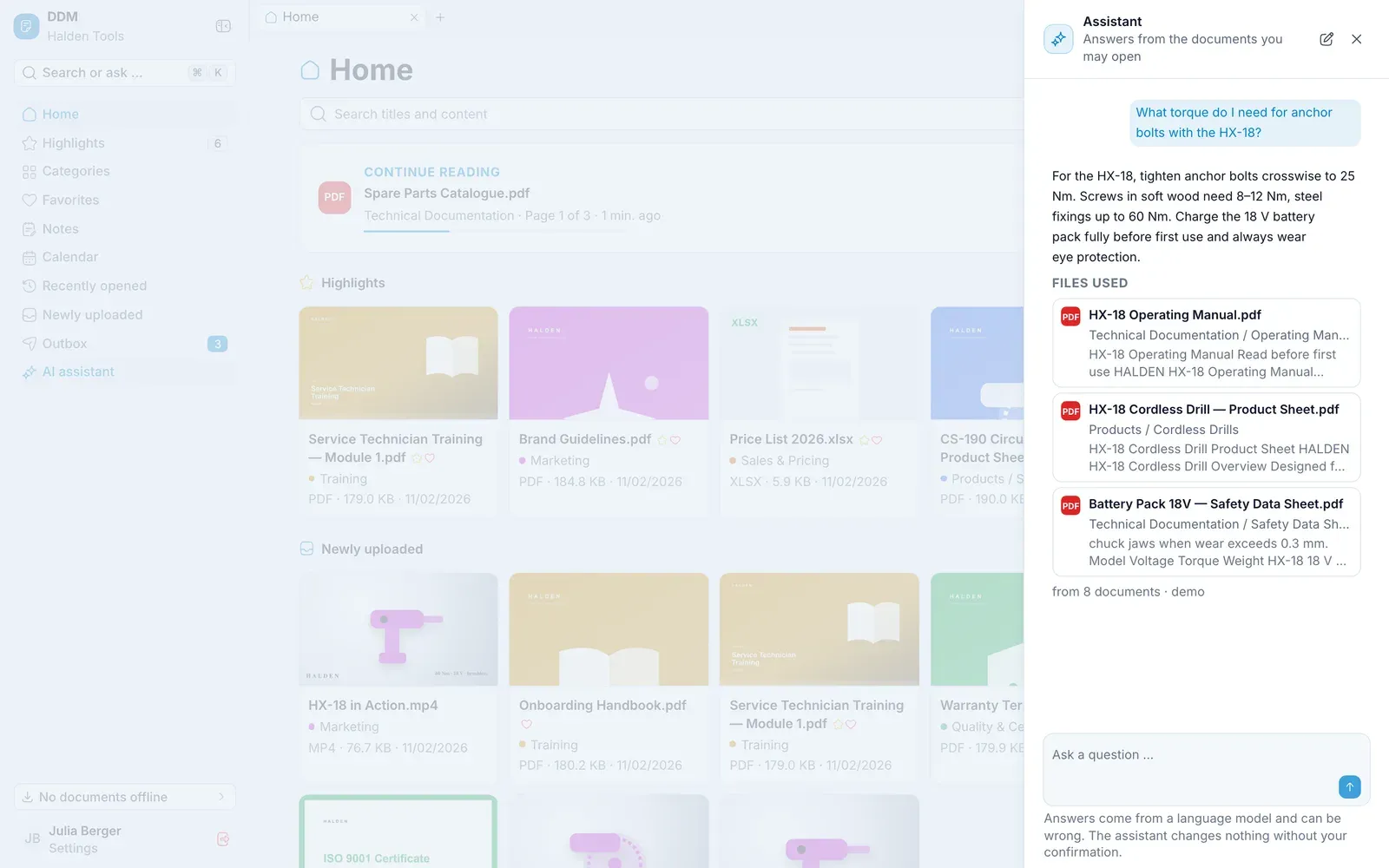
Asking
- Open the assistant: on a computer via AI assistant in the navigation, on a tablet or smartphone via the Assistant icon at the top or More › AI assistant – or type the question into the search and choose Ask the assistant: "…".
- Write under Ask a question … and tap Ask.
- The sources are listed under Files used. A tap opens the document with the matching words highlighted.
New starts a new conversation.
Questions about the app
The assistant also explains how the app is used – "How do I take a document offline?". The answer then comes from this guide: under From the user guide is the section, and a tap opens it. Your organisation can turn this off.
Asking just one document
In the viewer, tap Ask. The assistant then answers only from this document – the top shows About "…". With Ask all documents you lift that restriction.
The assistant can be wrong. Check important details in the source before you pass them on. It needs a connection.