 DDM Help
Markets and translations
A Market is a country with its language. Categories and documents can have their own titles for each market – readers in Austria then see "Preisliste 2026", in France "Liste de prix 2026". The file stays the same.
Adding a market
- Click Markets in the navigation.
- Click New market at the top right and search for the country.
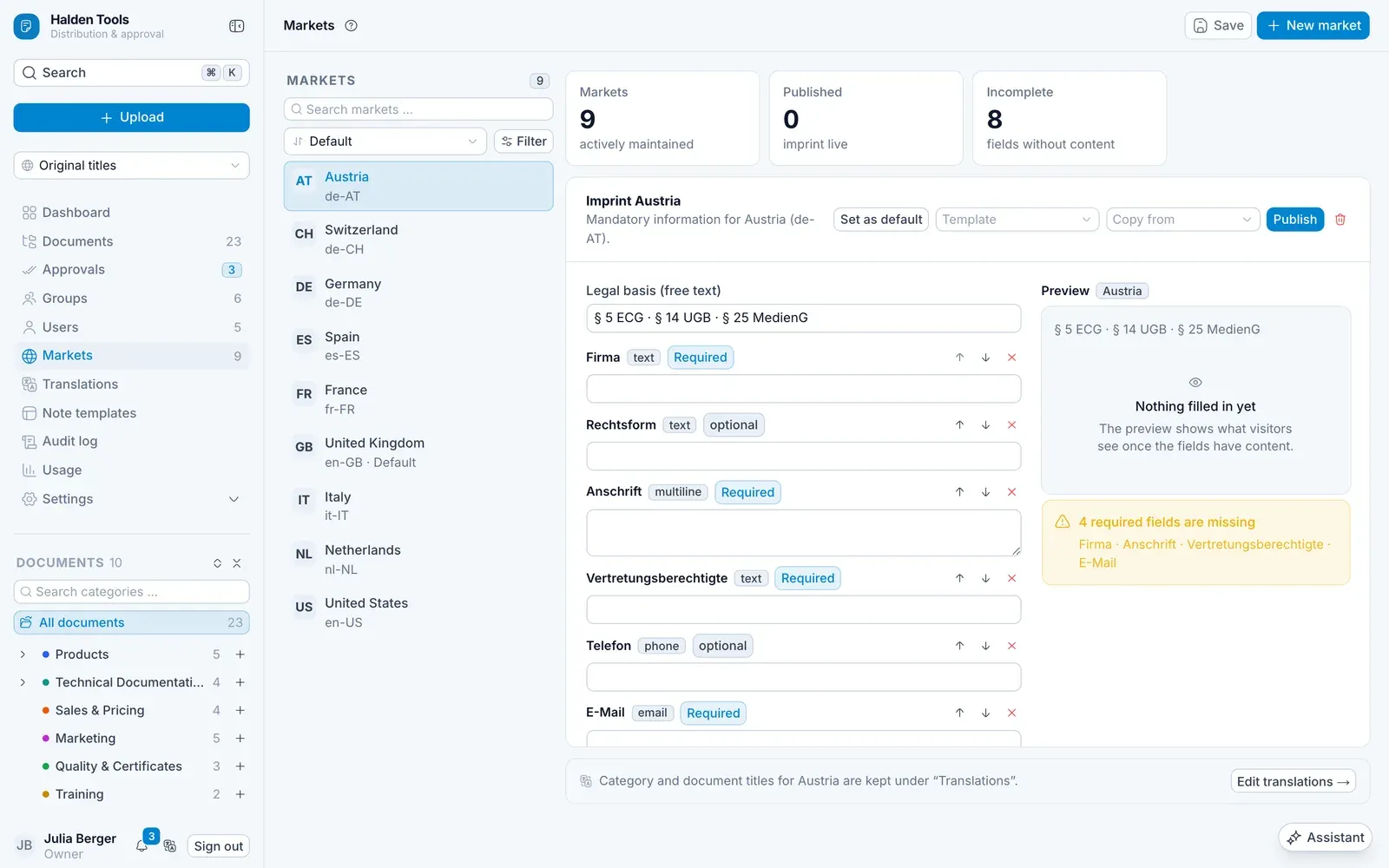
With Set as default you choose the market whose language applies when nothing else is selected. The bin beside the market (Remove market) deletes it again, after you confirm with Remove permanently. On a phone, tapping a market opens its imprint full-screen; ← Markets takes you back.
Imprint per market
Open a market to maintain its Imprint:
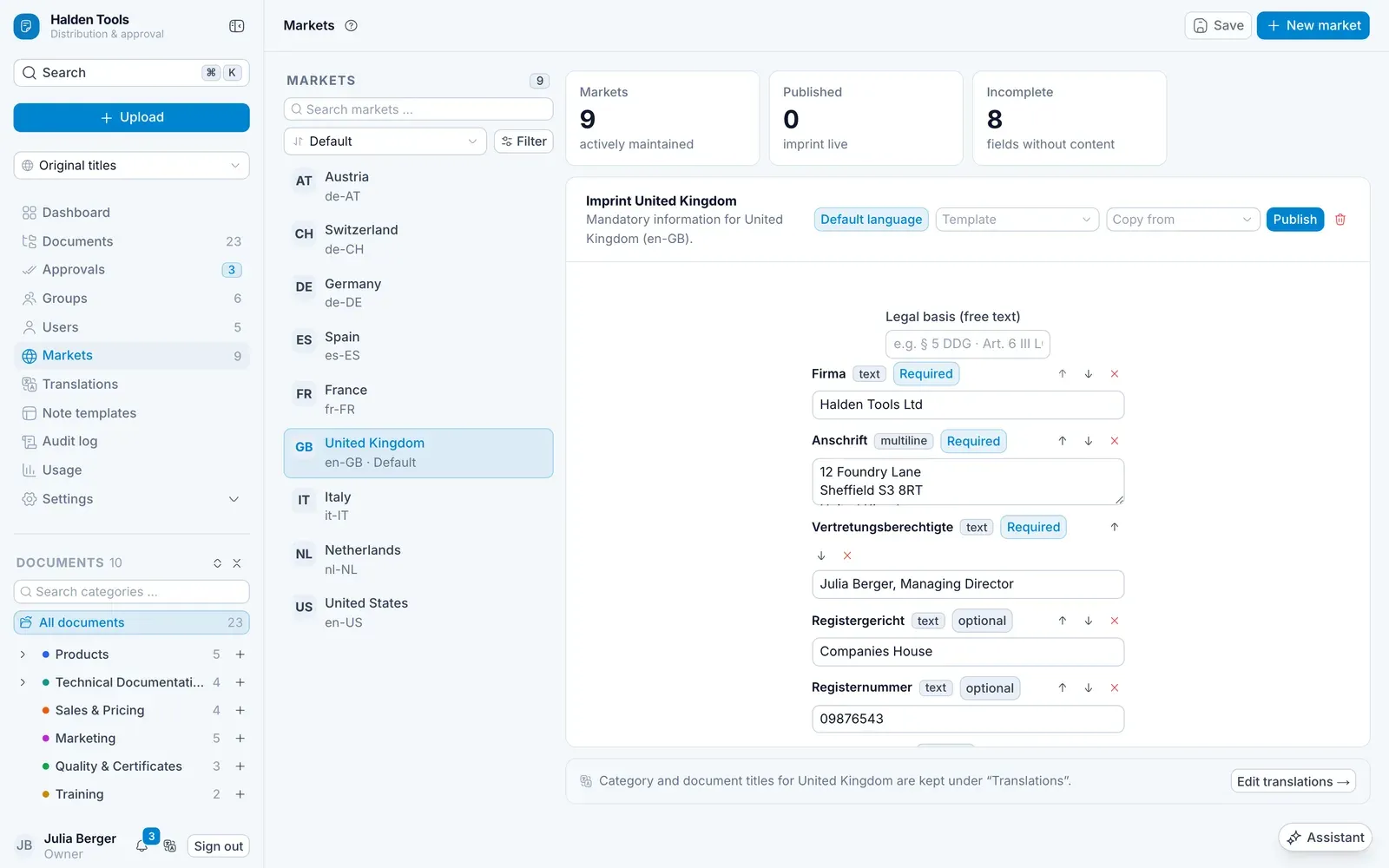
- With Template and Apply template you start with the fields that are usual in that country, or you take over another market's fields with Copy from.
- Each field is Required or optional. You add more fields in the Field library with + New field: enter a Label, choose a Field type – Text, Multi-line, E-mail, Phone, URL, Number or Formatted text – and Create field.
- Preview shows the result, Publish makes it live.
Formatted text
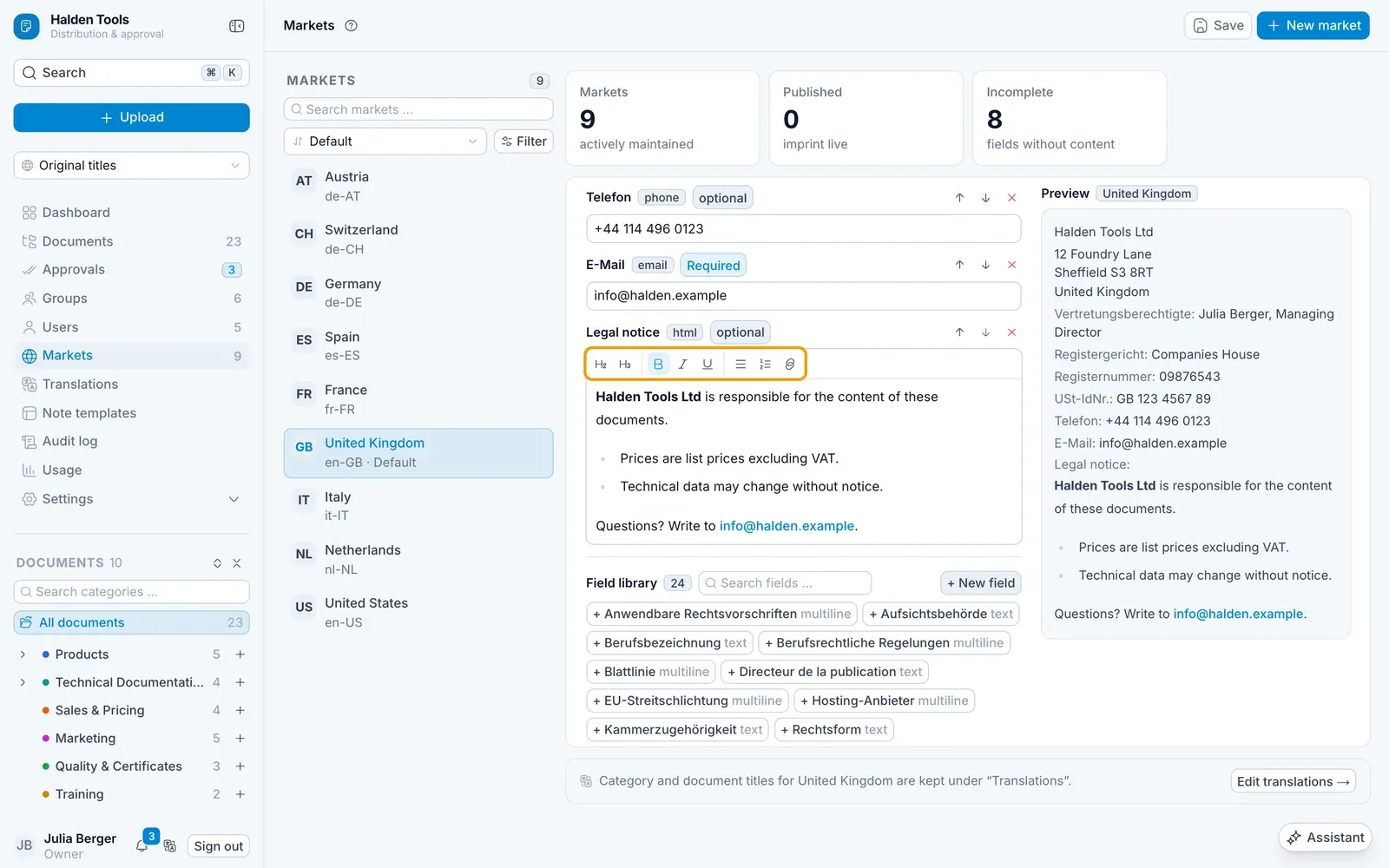
A field of the type Formatted text – for a liability disclaimer, say, or the details on dispute resolution – is written in a small editor. Its bar offers headings, bold, italic, underline, bulleted and numbered lists, and links. The Preview shows the field formatted, as it will appear.
A plain field holds up to 2000 characters, a formatted one about 65,000 – the formatting counts too.
If your organisation moves over from the previous DDM, a market's old imprint is in a single formatted field, Impressum. Check it in the Preview and click Publish.
Translating titles
You maintain individual titles directly on the document or category under Titles per market. For many at once, there is Translations (for administrators):
Choose a market
At the top, choose the Market and the Categories or Documents tab. With Missing only you see only what is still missing.
Enter titles
Type the title into the row. ↵ saves and jumps to the next row, ⇧ + ↵ goes back, Esc discards.
Or have them suggested
If the AI assistant is set up (from the Professional plan), Suggest proposes a translation – for one row, for the selection or, with Suggest all missing, for everything. Check the suggestions and click Accept all, or accept them one by one.
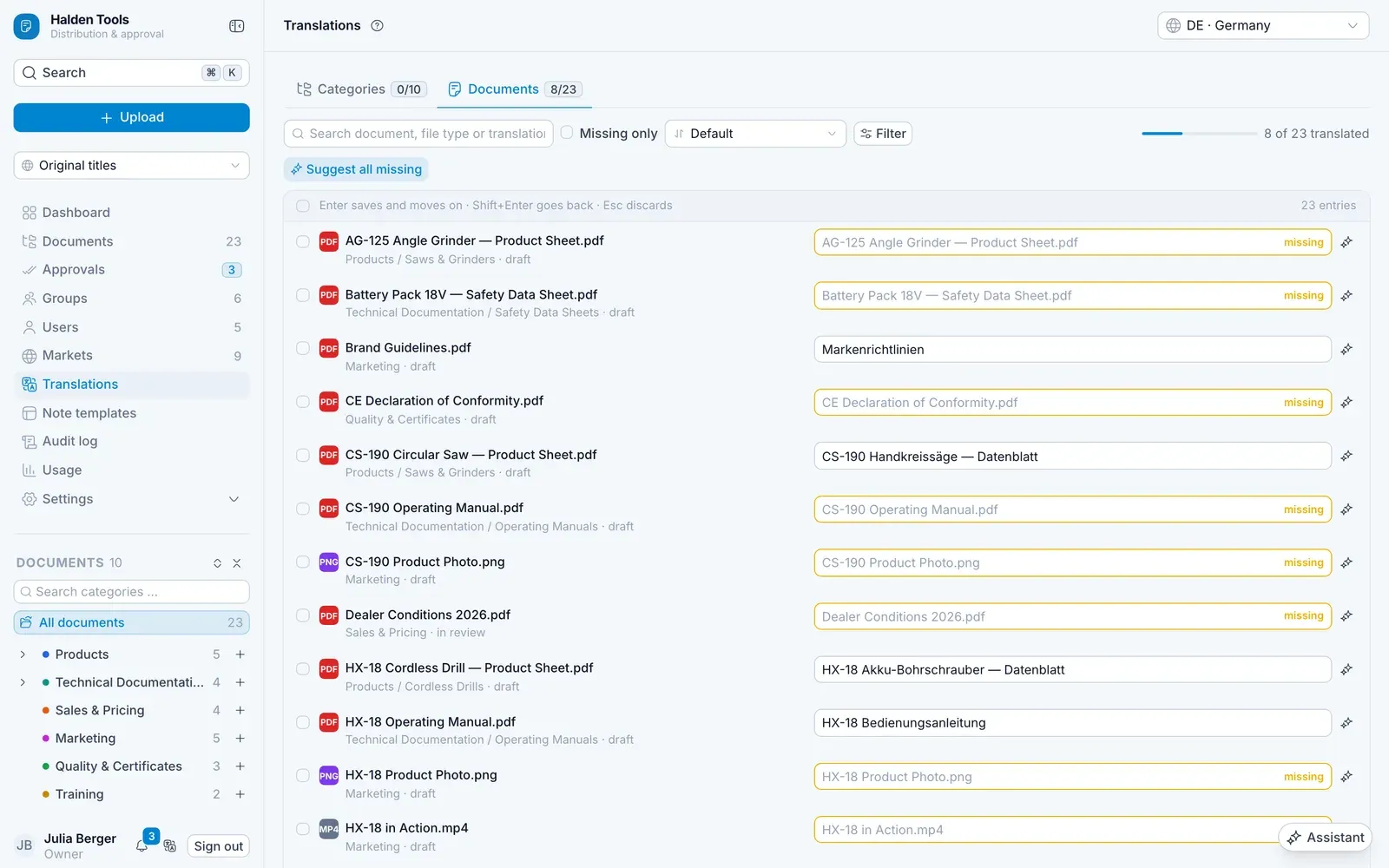
If a title is missing, readers see the original name.
How the app chooses the language
In the app, each person chooses under Settings › Document language which language they see titles in. In the CMS, Display language / country at the top of the navigation shows you the same thing.