 DDM Help
Usage and audit log
Usage
Under Usage (for administrators) you see how the content is being received. Choose the Period at the top.
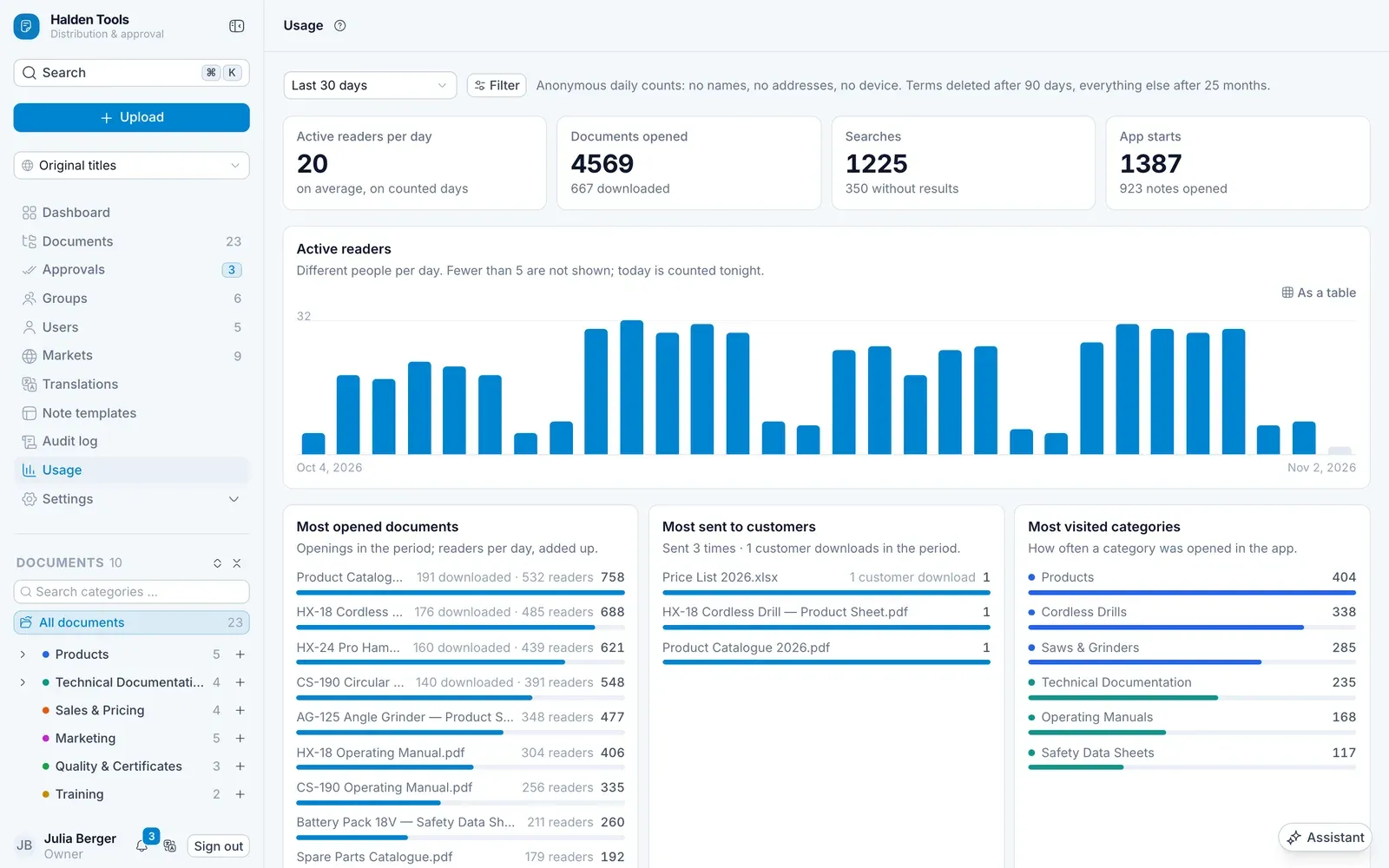
| Tile | Shows |
|---|---|
| Active readers | how many people read per day |
| Most opened documents | what is needed most |
| Most sent to customers | which documents go out from the app's Outbox most often, and how often customers downloaded them |
| Most visited categories | where people read |
| Top search terms | what people search for |
| Searches without results | what is searched for but not found – often a sign of missing content |
| Platforms | browser, iOS, Android or desktop app |
| Unused documents | what nobody opens |
With Show all you see the whole list.
Audit log
The Audit log (for administrators) records who did what and when – uploads, approvals, permission changes, user invitations and much more. Search under Search object or action …, choose an action under All actions, or combine conditions with Filter.
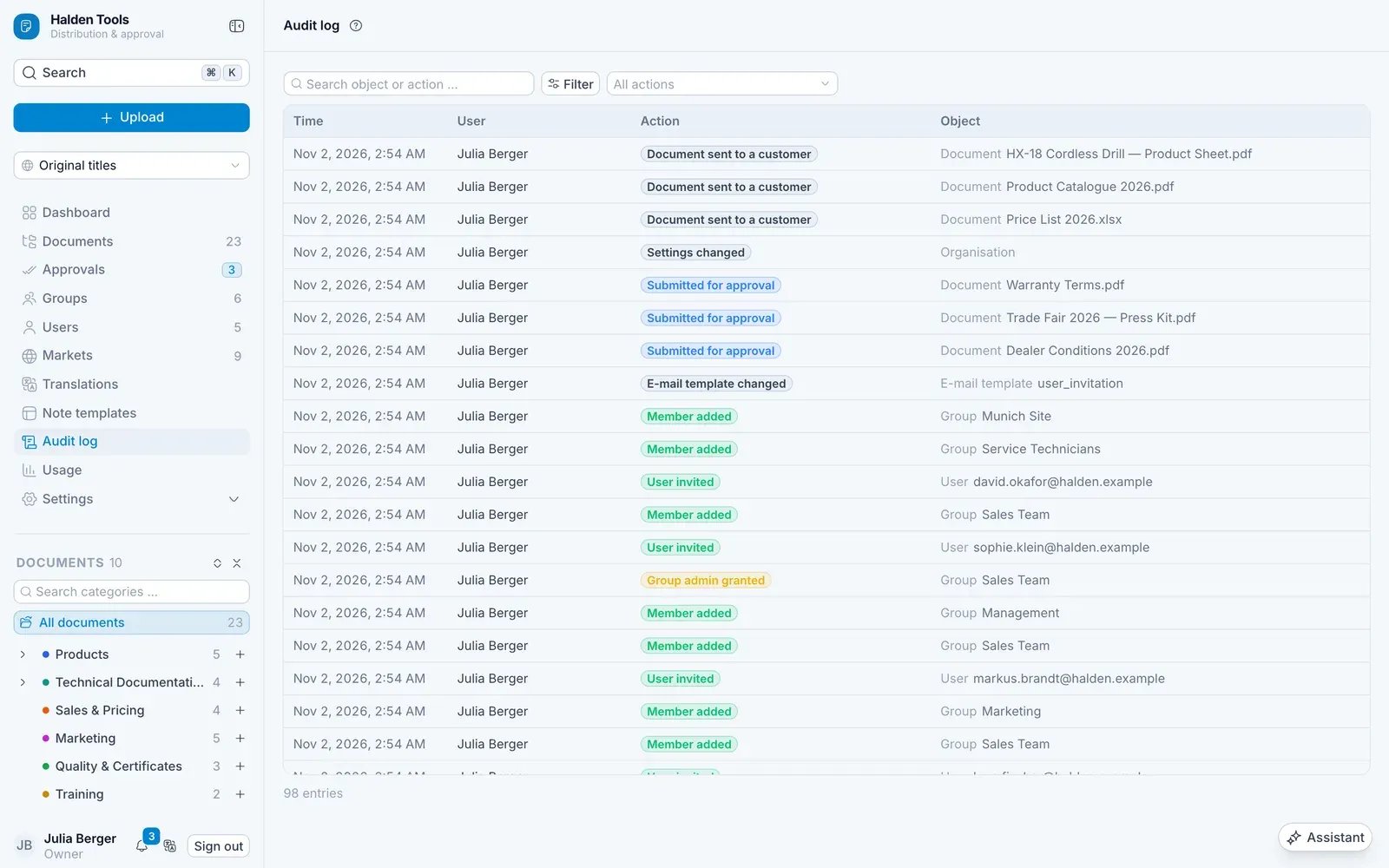
How far back the audit log reaches depends on your plan: 30 days on Free, 90 days on Basis, 12 months on Professional and 25 months on Enterprise, unless its contract agrees more – see Plans.
The colour of each action tells you at a glance what kind of change it was:
| Colour | Kind |
|---|---|
| green | something was created, added, invited or imported |
| red | something was removed |
| amber | anything to do with who may sign in or see what – passwords, sign-ins, blocking, roles, permissions |
| blue | a document moving through approval or publishing – submitted, approved, rejected, published, restored |
| grey | routine changes |
On a phone, the list has three columns: the time in short form, the person above the action, and the object.