 DDM Help
Fixed
Previews are prepared again
Newly uploaded documents are prepared again, so their preview images and pages appear as usual.
Read moreAfter a new release the CMS and the app show What's new once — each with what has arrived since your last visit. Every release is listed here to look things up, newest first. In the CMS you open What's new at any time under My account or from the search, in the app under More or in Settings.
Newly uploaded documents are prepared again, so their preview images and pages appear as usual.
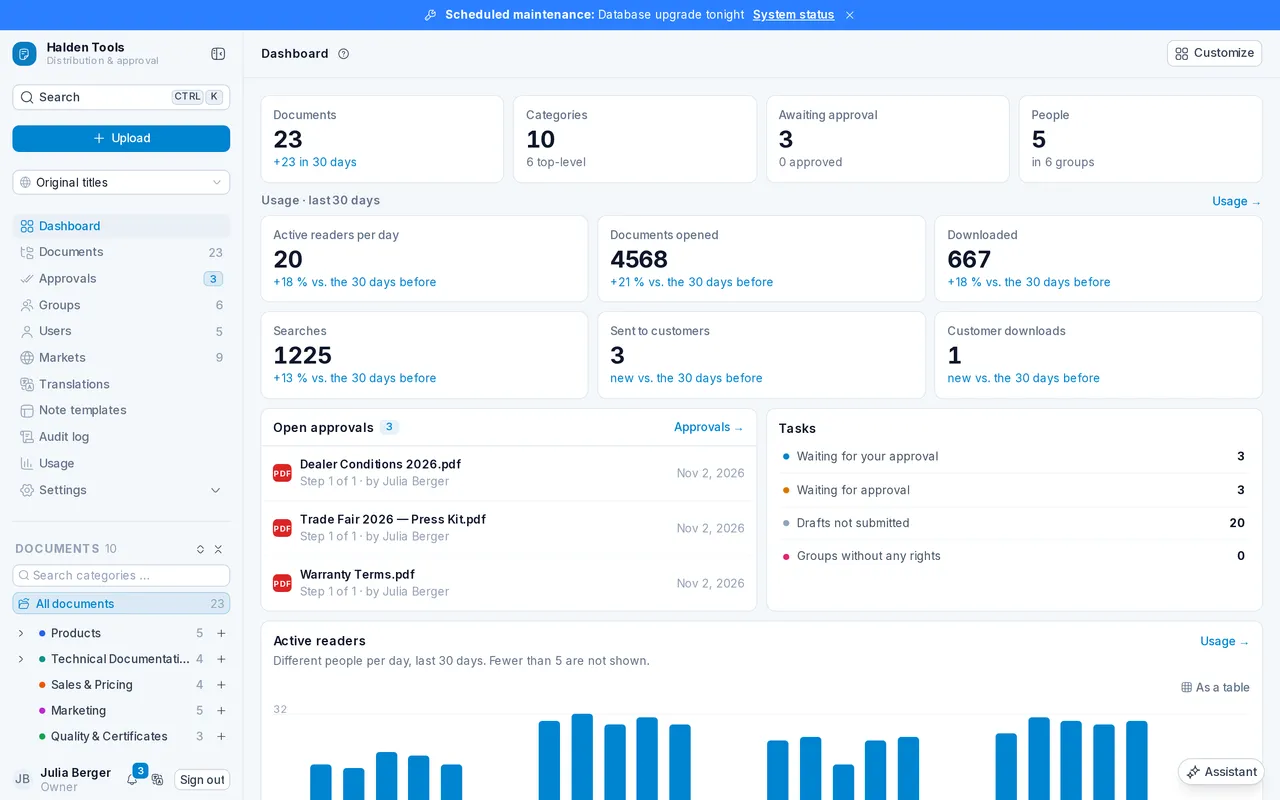
Read moreWhen there is an incident or maintenance is due within a day, the CMS shows a banner across the top with a link to the new status page. You can close it until the next update. You'll always find the link "System status" under "My account".
 Read more
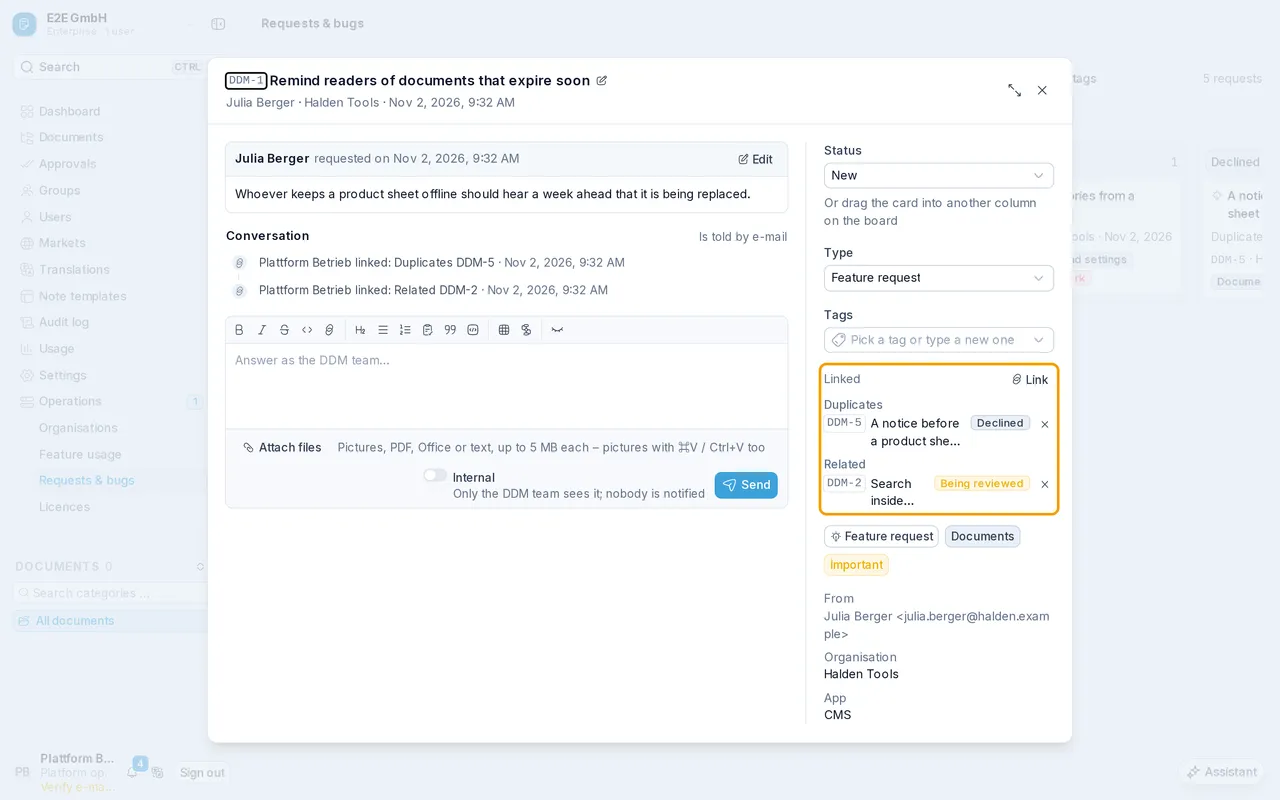
Every feature request and bug report now has a number such as DDM-123. It appears beside the title and in the subject of every e-mail, and you can search for it. You'll see linked requests, such as a duplicate, with their number, title and status.
 Read more
Under "Users" and in group member lists, only administrators now see when someone last signed in, how they sign in, whether they are blocked and whether they use two-factor authentication.
Read moreIf someone also belongs to another organisation, you can no longer reset their two-factor authentication or passkeys, as that would affect the other organisation too.
Read moreThe audit log now also records when the calendar grant is set or removed and when a source's group or field mappings change. Every entry is shown with a readable description.
Read moreMessages about invalid input and about preview images not yet available now always appear in your language.
On a self-hosted installation, no account can sign in with a password past the single sign-on requirement any more.
Read moreThe expanded list of inherited access and the group search for a user stay as they were when you switch tabs. While a bulk delete runs, the bar's buttons are held again, and the group mappings card appears together with the others.
On the sign-in page, the Tab key now takes you from the e-mail address straight to the password field, and only then to "Forgot password?".
In the documents' card view, the CMS now shows two cards side by side on a phone instead of one.
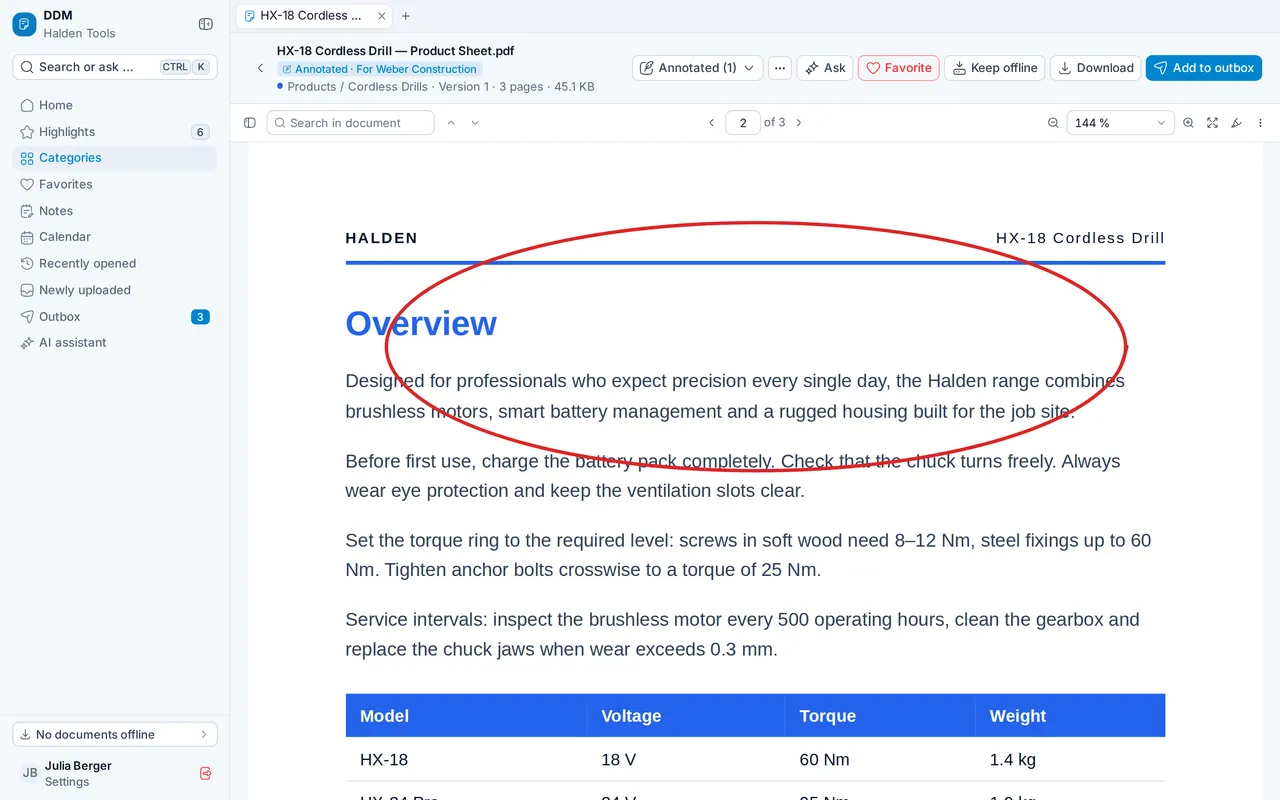
What you highlight, draw or write in a PDF can be saved as a named version, for you alone and offline too. Your marks move onto the newest version of the document. In the outbox you send the original or one of your versions, and you can file versions in Favorites.
 Read more
Notes now show as tiles or rows just like categories, with the same view and sort options. Each card shows the note's first lines, with headings, bold, lists and tables.
Read moreFrom a note's menu you can put it into a Favorites folder and move it between folders there. When you delete a note, you see first which folders it will be removed from.
Read moreThe note editor now has undo and redo buttons – at the front of the toolbar on a phone, and above the text on the right on a computer.
Read morePull a list down on a touch screen and the app fetches what has been published since. While the app is open, it also refreshes by itself every ten minutes.
Read moreA tab in the bottom bar takes you back to where you left it, scrolled just as far. Tap it again to go to its start.
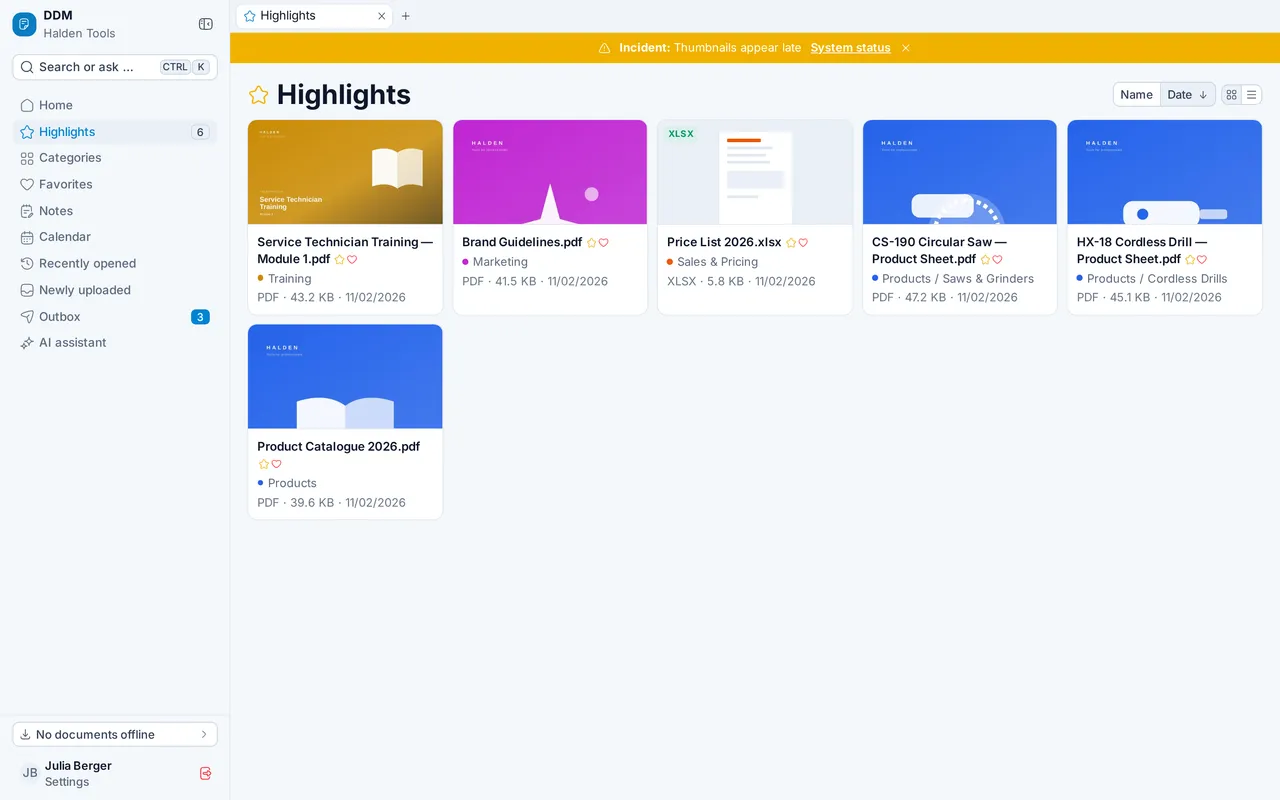
Read moreWhen there is an incident or upcoming maintenance, the app shows a banner at the top that you can close until the next update. You'll find the link "System status" in the settings.
 Read more
When you sign in to the desktop or mobile app through the browser, you now confirm there with one click that the app may use your account. That way no other website can sign you in without your knowledge.
Read moreThe desktop app now uses "Open in…" only for documents, pictures, videos and audio. Other files, such as programs, are offered as a plain download.
Read moreA document you reopen from a tab starts where you were again. Switching between the original and one of your versions keeps you on your page too.
Read moreIf a document can't be prepared at all, the app now says there is no preview instead of showing "being prepared" for ever.
A "New appointment" opened by mistake, with neither a title nor a description, is discarded when you click beside it or leave the view. Enter still saves it as before.
Read moreIn the installed app on an iPhone, no grey gap is left above the keyboard any more. With the phone held sideways, the tab overview fills the whole screen.
Read moreIf you run DDM yourself, the user guide now has a page on which connections your firewall has to allow. It covers incoming and outgoing connections as well as those between the services.
Read moreOn a self-hosted installation, no account can bypass access rights or the two-factor or passkey requirement any more. The same rules now apply to every account.
DDM now also runs in your own data centre, with Docker Compose or Kubernetes. The guide's new “Self-hosting” section walks you step by step through installation, settings, updates and backups, with every file to copy. Feature requests and bug reports reach the DDM team from there too.
Read moreOn your own installation, administrators see under Settings › Licence whom the licence is for, how many seats and organisations are used and when it was last renewed. With “Renew now” you fetch the newest licence, or you paste one you were sent. Invitations beyond the number of seats are refused.
Read moreOwners and administrators get an e-mail 14, 7 and 1 day before the licence runs out and when a new DDM release is available; a banner in the CMS points it out too. “Update” beside “Licence” shows what the new release brings and whether it needs new installation files, and “Check” tells you when your installation files are out of date.
Read moreIf your own installation's licence runs out, it can first only be read, nothing changed; later the installation is locked. Owners and administrators can still sign in and renew the licence.
Read moreThumbnails that were already loaded appear at once — for example when you scroll back or reopen a category you just visited.
In the changelog each release's changes now stand under CMS, App and Integration API, and every release is listed under “On this page”.
Read more“Sign in with passkey” is now also in the desktop app for macOS and Linux: sign-in opens in your browser, and afterwards you are signed in to the app.
Read moreIn the desktop app for macOS, links such as “All changes”, “Learn more” or the privacy policy open in the browser again.
Read moreIf your company runs DDM itself, the app shows at the top of every screen when the licence has expired; administrators see the notice shortly before.
Thumbnails that were already loaded appear at once — for example when you scroll back to a card or reopen a folder you just saw.
The app's icon now shines in bright blue — in the browser, on iPhone and Android and in the desktop app.
“Try it” in the integration API reference sends requests to DDM again instead of localhost.
Read moreOn a self-hosted installation without a valid licence, the integration API refuses requests that change something with an error of its own; once the installation is locked, it no longer answers. New integrations use the integration API instead of CMWS.
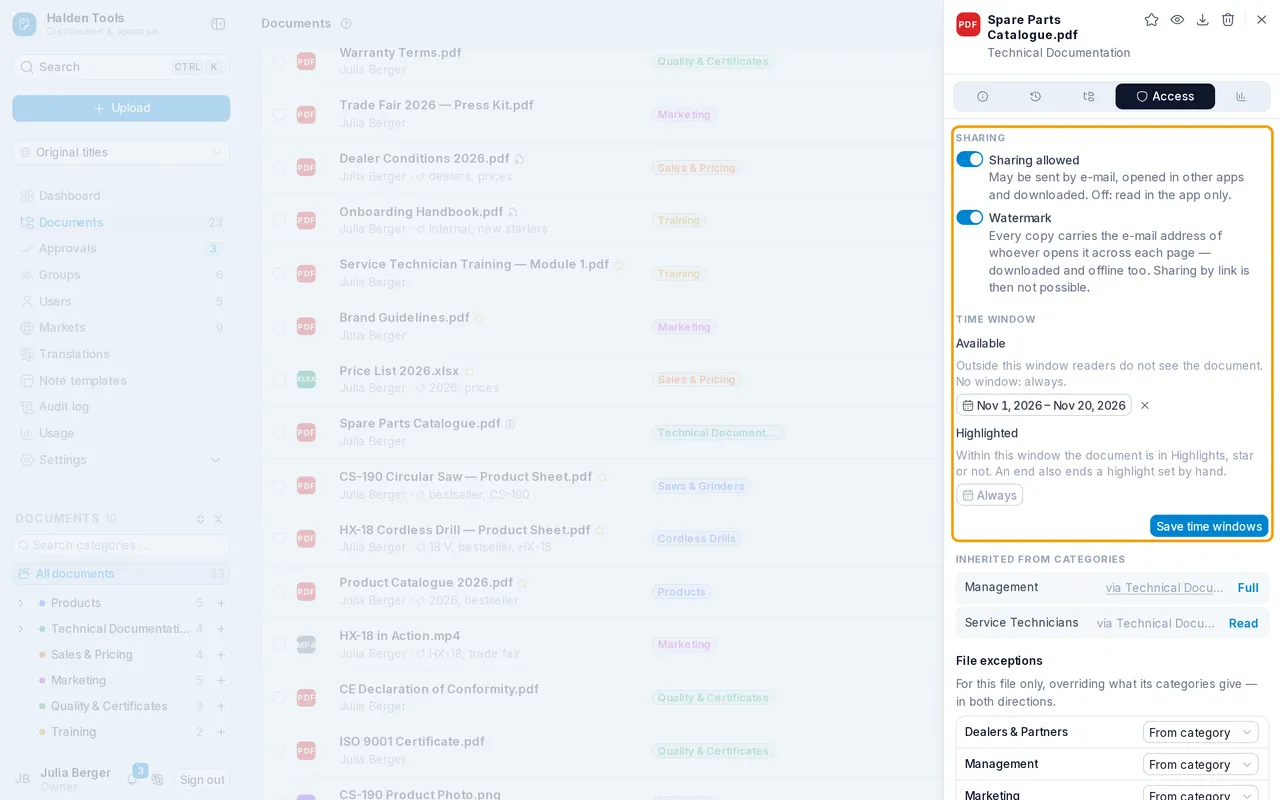
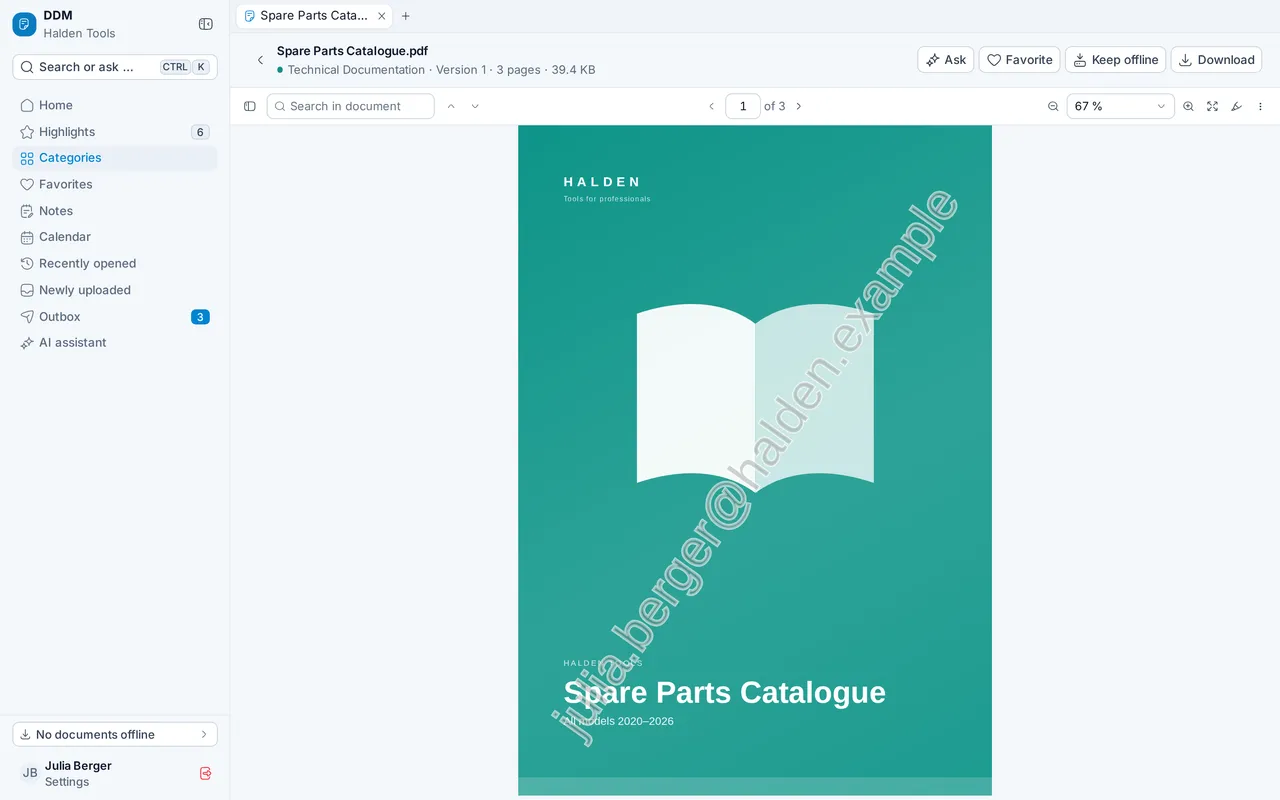
Read moreIn the document panel under “Access” you switch on the watermark for a document: every page someone views, downloads or keeps offline then carries their e-mail address, the thumbnails too. Such documents cannot be shared by link; available from the Professional plan.
 Read more
For each document you set from when to when it is “Available” and “Highlighted” — each as a range in a two-month calendar, removed again with ×. A window open at one end shows as “from …” or “until …”.
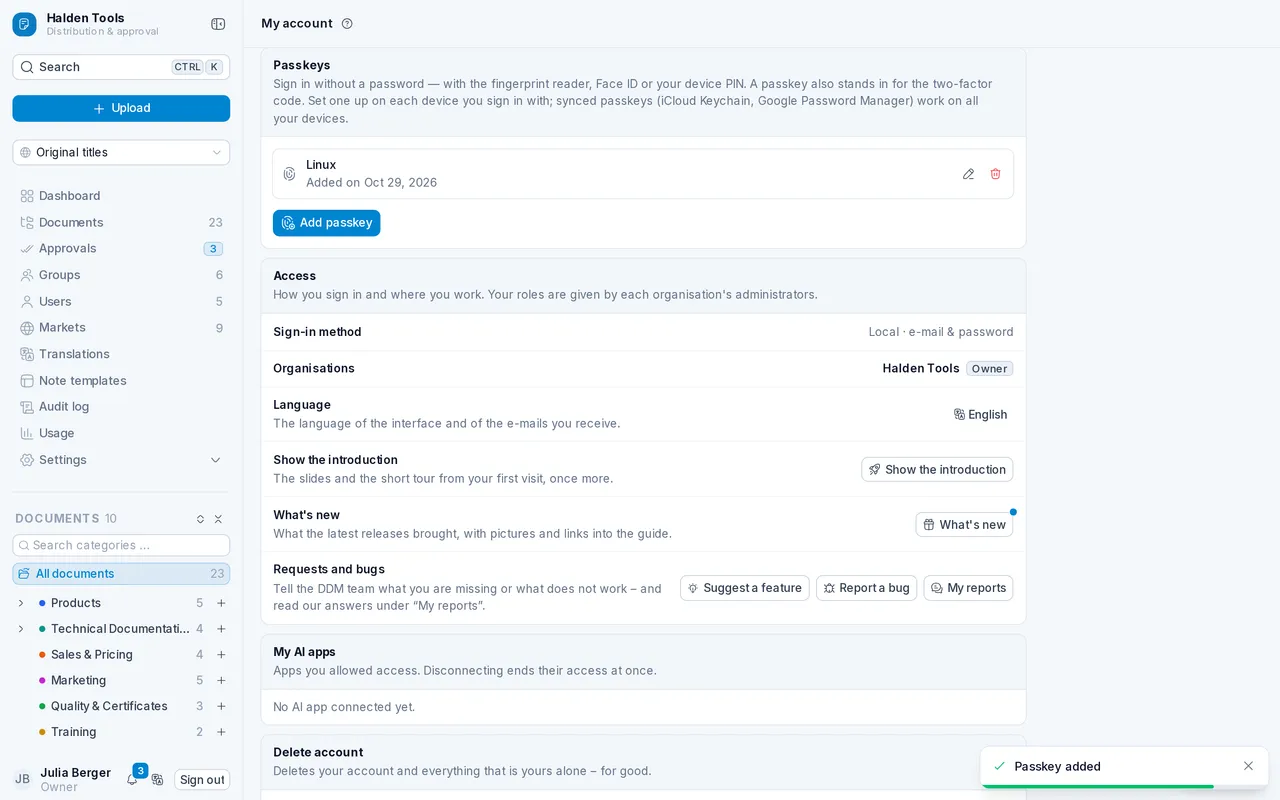
Read moreUnder “My account” you set up passkeys and then sign in with your fingerprint, Face ID or the device PIN — no password and no extra code. Under Settings › Security administrators decide whether passkeys are allowed, not allowed or required, and under “Users” they remove the passkeys of a lost device.
 Read more
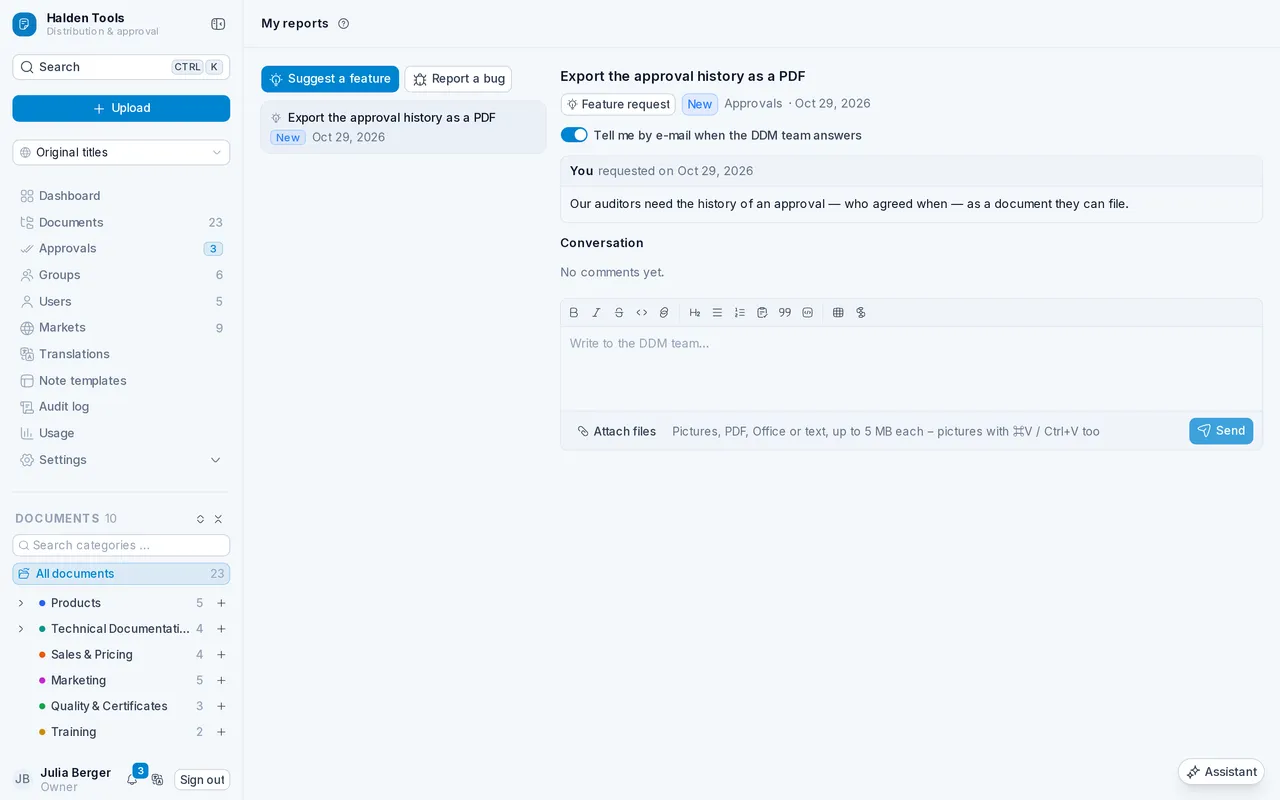
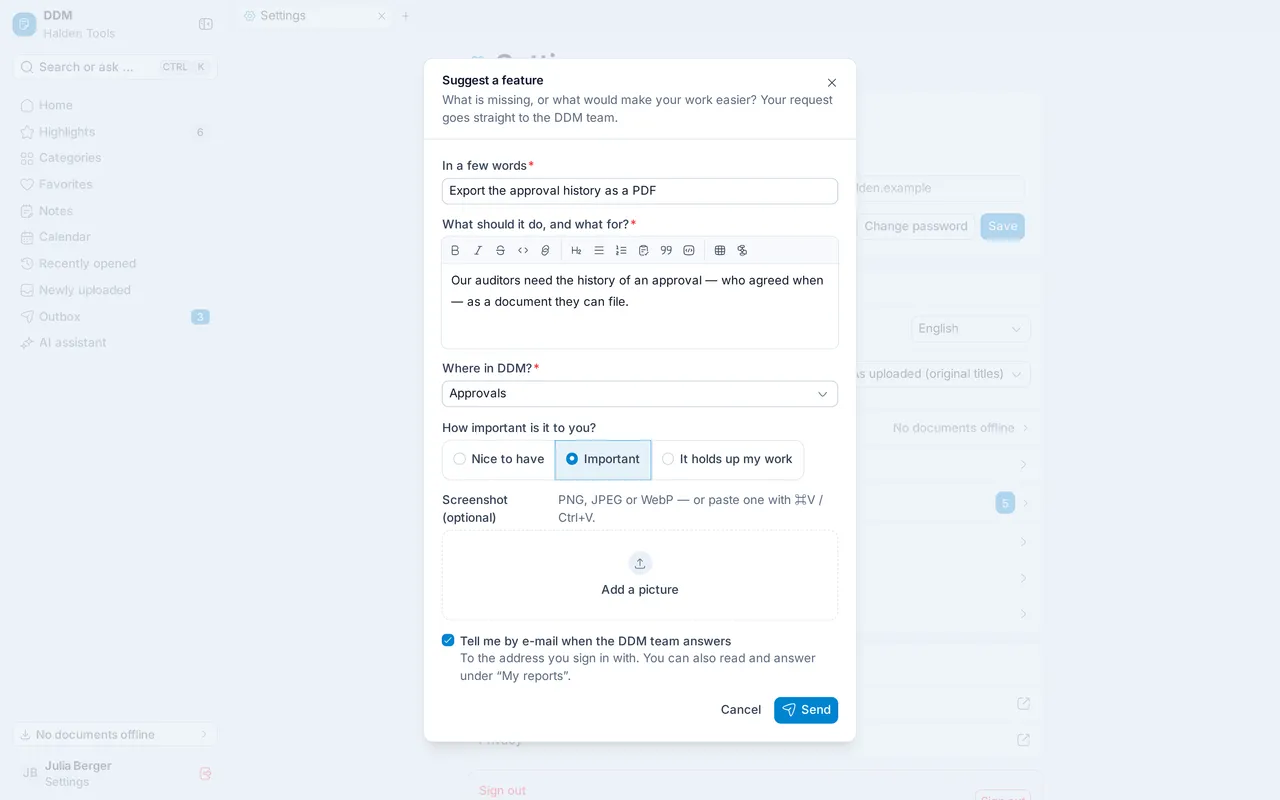
Under “My account” or from the search you send the DDM team a feature request, with a screenshot if you like. Under “My reports” you follow it and discuss it with the team; answers arrive in the bell and, if you wish, by e-mail.
 Read more
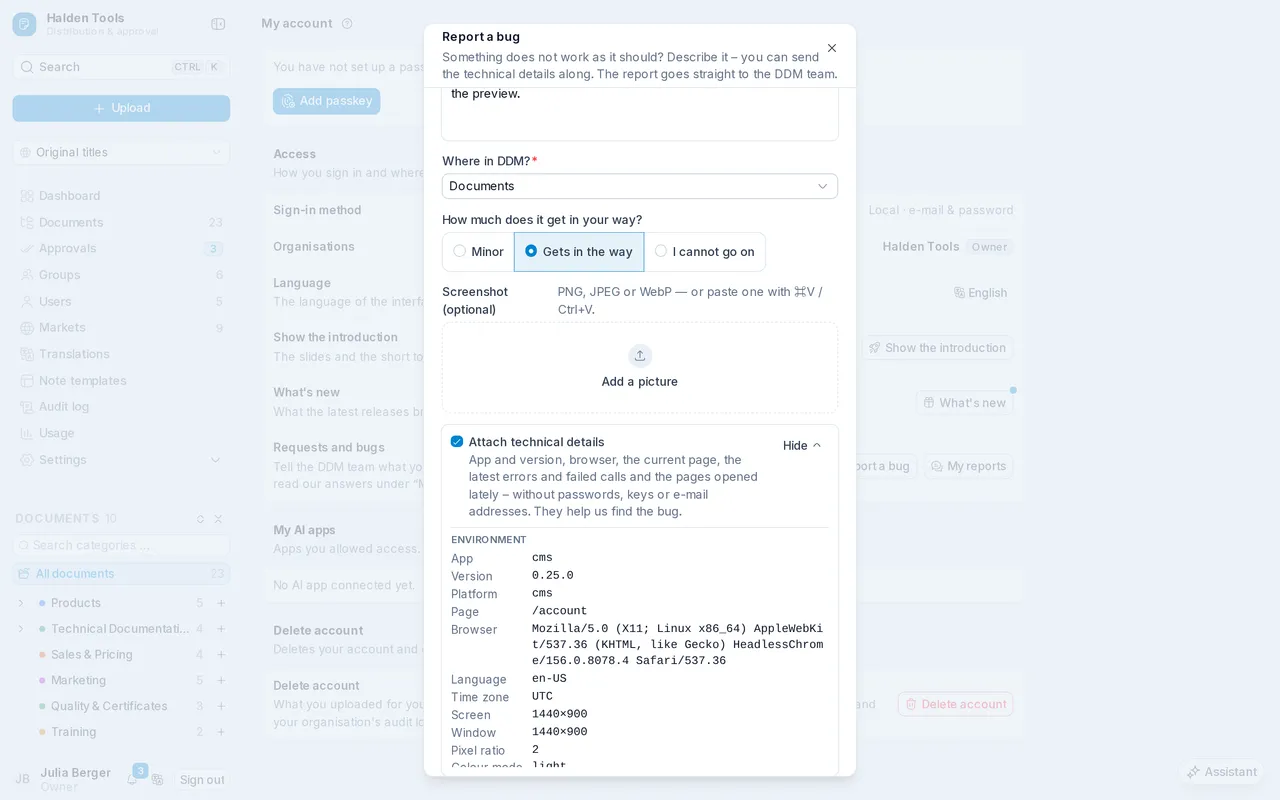
With “Report a bug” under “My account” or in the search you describe a problem. If you wish, the report takes along the technical details that help fix it — failed calls, error messages and the screens before; you see everything first and untick what should not be sent.
 Read more
Some documents now carry your e-mail address on every page — when reading, downloading and offline. These documents cannot be sent to customers by link.
 Read more
Documents are only visible in the period your editors have set, and stay among the highlights only as long as intended.
Read moreIn the app in the browser, in the Windows app and in the mobile app you sign in with “Sign in with passkey” using your fingerprint, Face ID or the device PIN — no password. If your organisation requires passkeys, you set one up first.
Read moreIn the mobile app's settings you switch on the app lock: at start and after five minutes away you unlock the app with Face ID or your fingerprint. The setting applies to each device.
Read moreIn the app's settings you send the DDM team a feature request or report a bug, with its technical details if you wish. Under “My reports” you follow what becomes of it and reply to the team.
 Read more
Systems using the old DDM's CMWS interface keep working unchanged — with their old keys, ids and origin ids. Under Settings › API access, carried-over CMWS keys are marked.
Read moreThe integration API reads groups, creates, changes and deletes markets and manages access to categories and documents. Documents have new fields for the watermark and the availability and highlight periods.
Read moreEvery request in the reference can now be tried, by id and by reference, and the JSON answer is colour-highlighted. You copy the request as cURL, HTTPie, fetch, Python or PowerShell, and the answer as it came — the key is never in the code, it is read from `DDM_API_KEY`.
Read moreAfter an update, “What's new” opens once with everything that changed in the CMS since your last visit — and not again on another device. Later you find it in the header, in the search and under “My account”, and “All changes” leads to the changelog of every release.
Read moreAfter an update, “What's new” opens once with everything that changed in the app since your last visit — and not again on another device. Later you find it under “More”, in Settings and in the command palette, and “All changes” leads to the changelog of every release.
Read moreWhen you return to a screen, you see its last content at once while it updates in the background. Placeholders only appear when loading takes noticeably long.
What each release changed in the integration API you can now read in the guide's changelog.
Read moreUnder Settings › Calendar you enter access to Microsoft 365, Google Workspace or your CalDAV server once. From then on every reader has their calendar in the app without choosing “Connect” themselves.
Read moreWherever the CMS names a person, a group, a document or a category — in the permissions, the side panels, the lists, the dashboard and the audit log — one click opens it.
Read moreWith push sources and API keys (Settings › API access), systems DDM has no ready-made connector for deliver their documents themselves. A trusted source's new documents and versions are approved without anybody's sign-off.
Read moreYou now choose note templates from the same side list as users and groups, with a search.
Read moreThe usage statistics reach up to your today, not UTC's, and a document created as approved stays approved with its first version.
Read moreIf your organisation has granted access to Microsoft 365 or Google Workspace, or you sign in with Microsoft, your calendar is there without you doing anything. Otherwise the calendar suggests the right account the first time you open it, and for iCloud and the like a dialog guides you through the app password.
Read moreA Mermaid code block in a note is drawn as its diagram — in the editor and on the shared page.
Read moreSort any list by name or date, either way round. The device remembers your choice for each screen.
Read moreSearch also finds your favorite folders, and “Favorites only” narrows the results to your favorites.
Read moreA double tap zooms into the page, a second one back to the whole page.
Read moreA screen appears as you tap, with placeholders where its content is about to be — rather than the last one staying until the server answers.
What you type stays above the on-screen keyboard. Held sideways, the menu and the header keep clear of the Dynamic Island, and holding a tab no longer selects its label.
An appointment you make before the calendars have loaded is kept, and Enter always saves a new appointment.
Read moreOther systems push documents and categories in through a REST API and take content out — by DDM's id or their own reference, with `fields` for only some attributes, described as OpenAPI and with “Try it” in the guide.
Read more