 DDM Help
Sending to customers
Via the Outbox you send documents and notes to customers. The customer receives an e-mail with a download link – no sign-in needed, valid for 14 days. You can see whether and when they opened the material.
Collecting material
Put everything you want to send into the outbox:
- in the viewer with Add to outbox,
- in lists with Add to the outbox – on a tablet or smartphone, behind a card's ⋯,
- for a note via Edit note › Add to outbox.
Documents that can only be read in the app, or that carry a watermark, cannot be sent: Add to outbox is missing for them.
Sending with your marks
If you have an annotated copy of a document, choose under the document in the outbox, at Send as, whether the Original or the annotated copy goes. From an open annotated copy, ⋯ › Add to outbox puts it in that way straight away.
The customer always gets the newest version of the document – with an annotated copy, with your marks on it, even if you made them on an older version. What was sent stays as it was for the link, even if you change or delete the annotated copy later.
Sending
Open the outbox
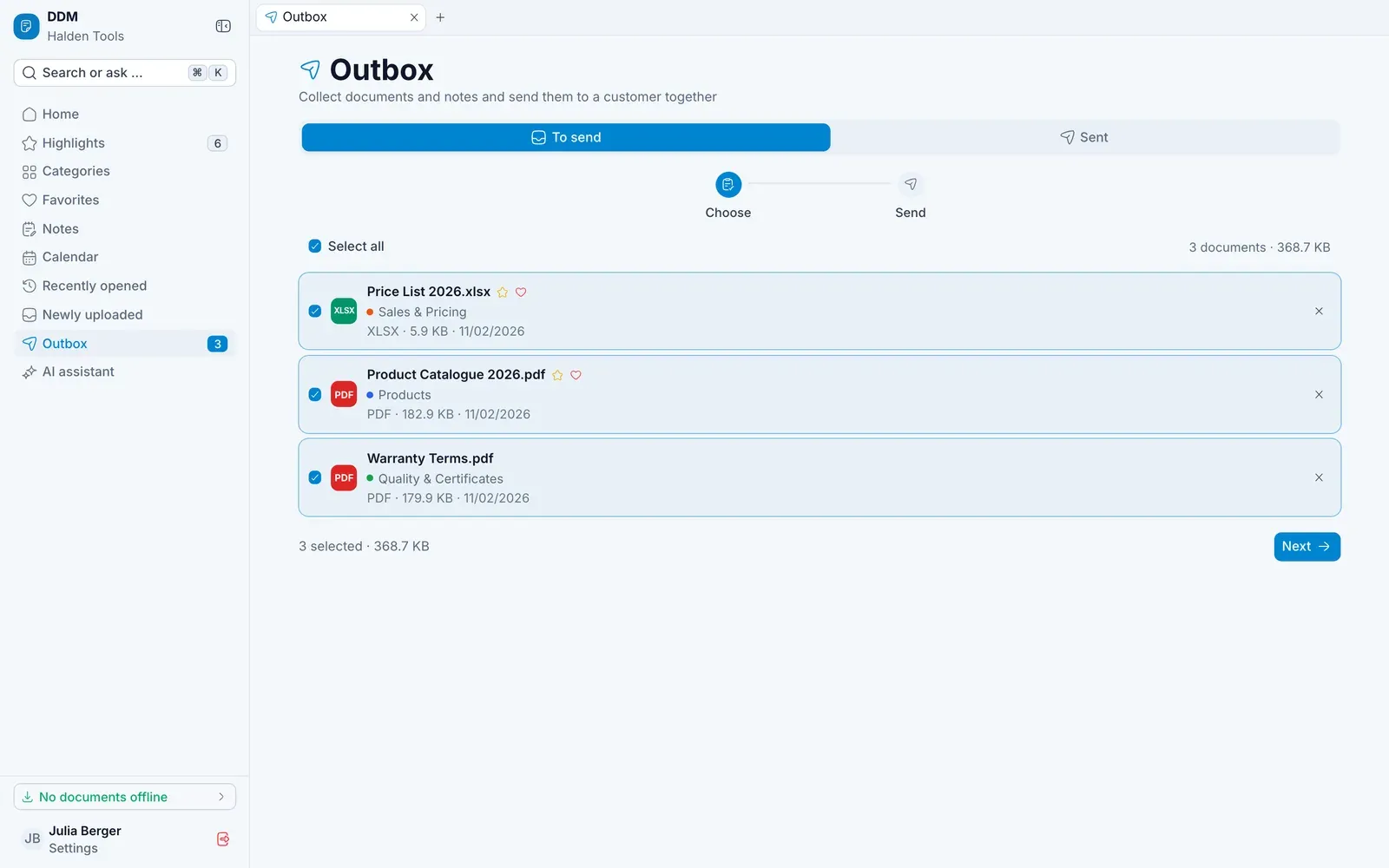
Open Outbox – on a smartphone, it is in the tab bar at the bottom, and the number on it shows how much is waiting. The To send tab holds everything you have collected. Select what should go and click Next.
Recipients and text
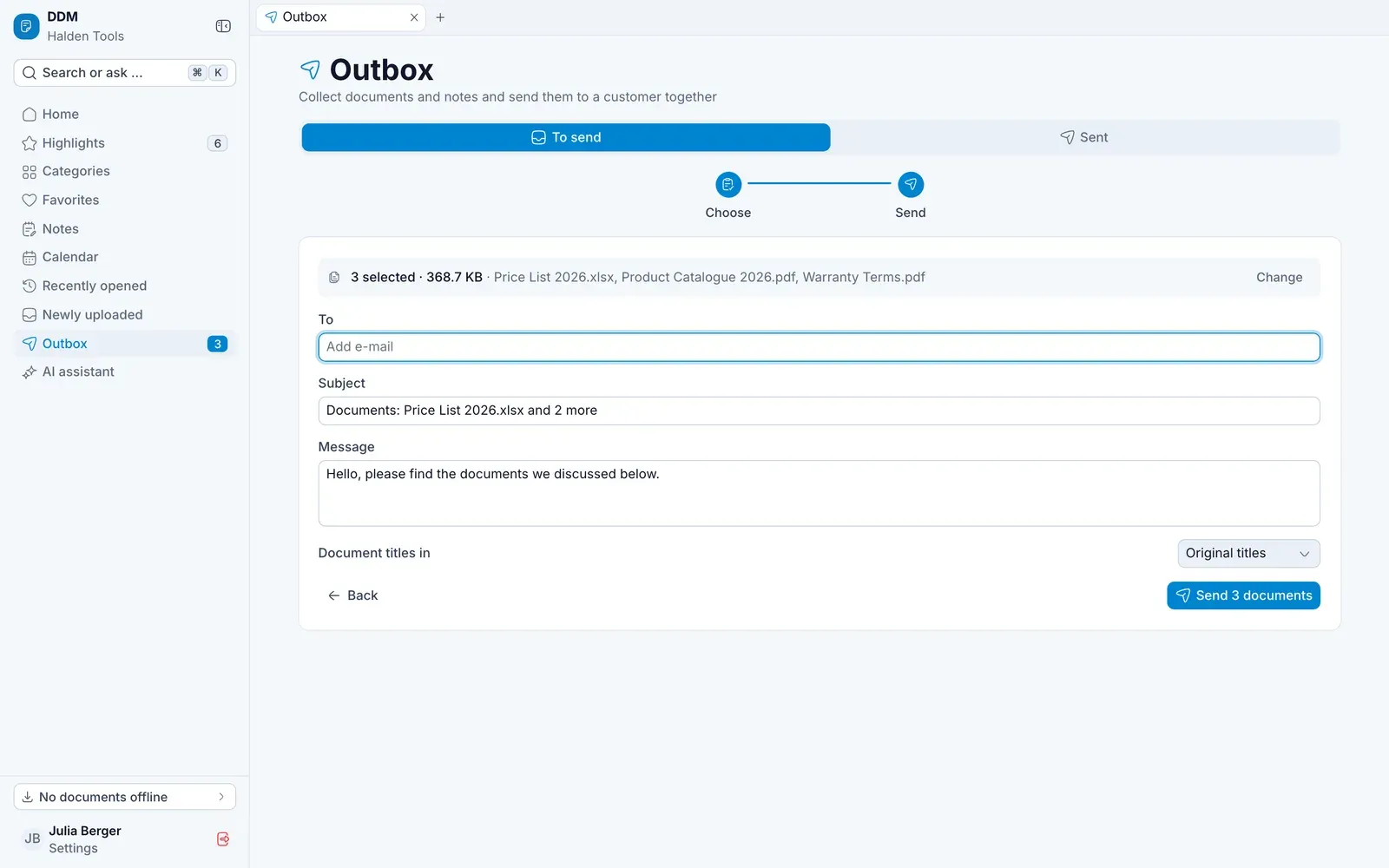
- To – type an e-mail address and press ↵; you can add several.
- Subject and Message are filled in for you – adjust them as needed.
- Document titles in – the language in which the customer sees the titles.
- For notes: As they are now or Always up to date.
Send
Click Send …. The app confirms Sent to ….
Seeing what the customer opened
The Sent tab lists each dispatch with:
- Not opened yet or Opened …× · last …,
- for each document, how often it was downloaded,
- the status: Active until …, Expired or Turned off.
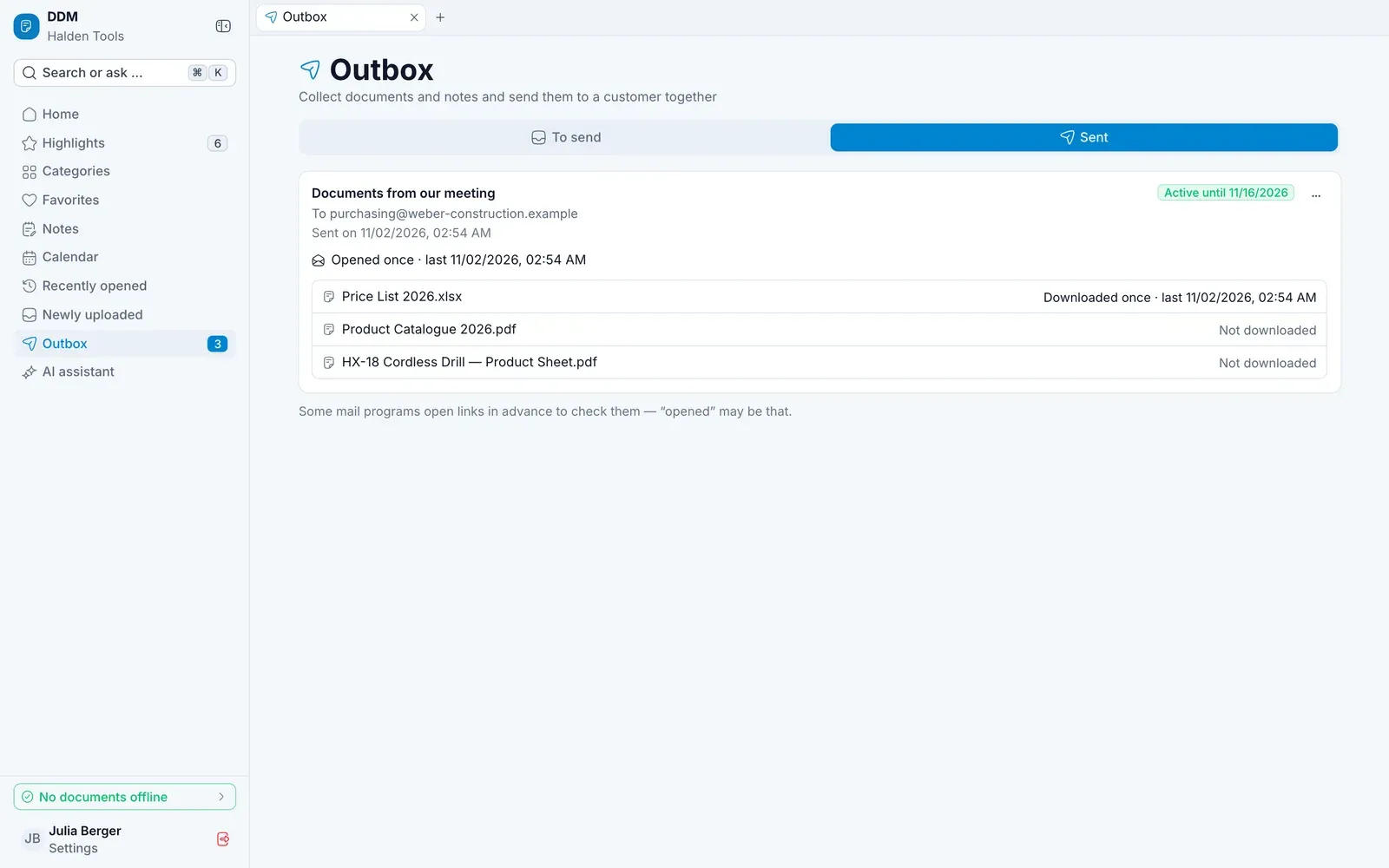
Via Actions › Turn off link you disable the link early, for example if you sent the wrong thing.
If a document becomes readable in the app only after it was sent, the link no longer offers it. If a sent note refers to it, the customer sees the reference as unavailable. Allow sharing again and the link offers it again, for as long as the link is valid.